How to Automate Employee Time and Attendance
A practical workflow for moving from manual timesheets to connected attendance records, exception review and payroll preparation.
To automate employee time and attendance means capturing clock events consistently, applying schedules and company rules, reviewing exceptions and turning approved time into usable reports and payroll inputs.
Attendance automation is the controlled flow from a clock event to a reviewed work record. It replaces scattered paper, chat messages and end-of-month spreadsheet reconstruction with timestamps linked to employees, schedules and company rules.
How the attendance workflow works
- The company maintains employee records, workplaces, shifts and attendance rules.
- An employee clocks in or out through an approved method, such as a compatible attendance device or mobile workflow.
- TimeVera receives the event and links it to the correct employee.
- The attendance engine evaluates the event against the assigned schedule and rules.
- A manager reviews lateness, missing punches, absences and overtime exceptions.
- Approved working time becomes available for reports and payroll preparation.
The device captures the event; TimeVera synchronizes and processes the punch. Biometric devices capture biometric identifiers on the device itself. TimeVera should not be understood as a biometric-capture suite.
What a useful system should show
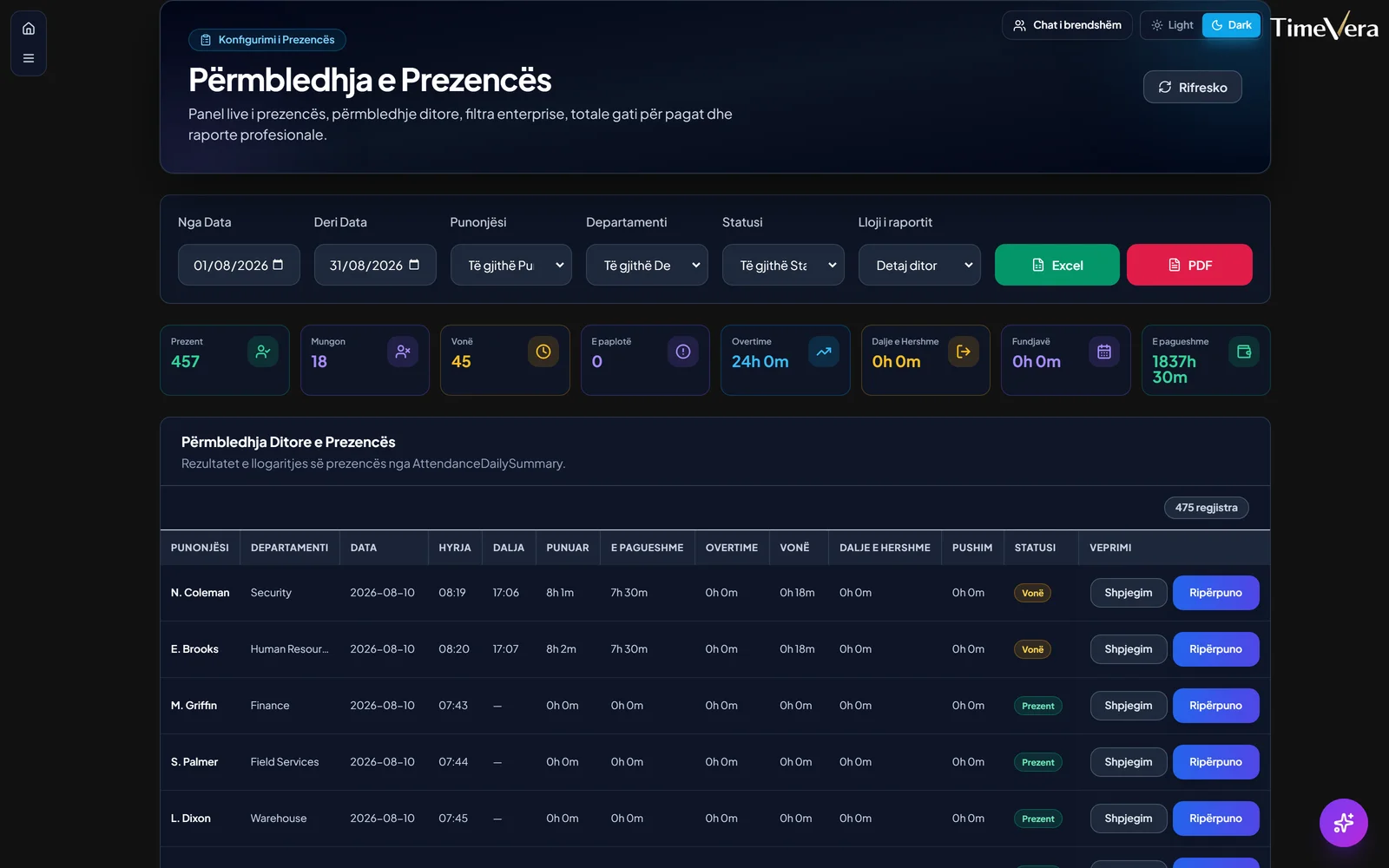
A useful attendance system gives authorized managers a daily view of who is present, late or absent, not merely a raw punch list. It should support schedules and shifts, attendance rules, exception review, multi-location visibility and exports. The same employee record should connect to leave and payroll preparation so teams do not repeatedly type the same data.
| Manual process | Connected attendance software |
|---|---|
| Paper or separate files per site | Shared records across authorized teams |
| Problems found at month-end | Exceptions reviewed during the period |
| Hours retyped for payroll | Approved time supports payroll preparation |
| Unclear punch history | Timestamped events linked to employees |
Controls still matter
Software does not decide company policy. The business must define schedule ownership, grace periods, overtime approval and correction rights. Access should follow roles, and managers should review anomalies rather than treating every device event as automatically correct. Missing punches, duplicate events and changed shifts need a documented correction workflow.
A phased automation plan
Start with the operational question: who needs reliable visibility, how quickly, and for which locations? Then map the employee master, schedules, capture methods and approval responsibilities. A small pilot catches identity-mapping and schedule errors before a wider rollout.
TimeVera connects attendance, employee records, scheduling, leave and payroll preparation in one cloud platform. It supports punches from compatible attendance devices and mobile attendance workflows, live and historical views, rules and report exports. Exact device compatibility and network setup are confirmed during implementation.
For a deeper definition, read What is an employee attendance management system?. Teams evaluating terminals can also review ZKTeco attendance integration.
Explore next
FAQ
Does attendance automation remove manager approval?
No. It reduces collection and calculation work, while managers still own corrections, exceptions and approvals.
Is biometric hardware required?
No. A company may use compatible terminals, mobile attendance or a suitable combination. The right method depends on work locations and identity-verification needs.
Can attendance records support payroll?
Yes. Approved working time can support payroll preparation when payroll is configured, while pay policies remain under company control.
Can it work across several branches?
Yes. Events from configured locations can feed one cloud view with role-based access and location filters.
Request a Demo · Related solution · All resources · Devices · Menaxhim orari · Time & Attendance